Our company logo

State

Why Can't I Program My New Garage Remote From My Old One


Published: Mar 25, 2026

You remember the old days, right? You'd get a new garage remote, hold it next to the old one, press a few buttons, and—presto! A perfect copy. It was simple and it worked.

But you just tried that with your new remote, and... nothing happened. You're not doing it wrong; the technology has simply gotten a lot smarter and a lot more secure. If you’ve been searching for answers on how to program a garage door remote from another remote, you’ve likely discovered that for most modern openers, it’s no longer possible.

This change wasn't made to frustrate you. It was a crucial security upgrade designed to protect your home. Let's pour a cup of coffee and break down exactly what changed, why it matters, and how you can get your new remote working in minutes.

Foundation: The Simple Security Upgrade That Made Your Garage Safer


The reason you can’t program remote-to-remote anymore comes down to a technology called "rolling code." To understand its importance, we first need to look at the outdated system it replaced: fixed code.

The Old Way: Fixed Code Technology

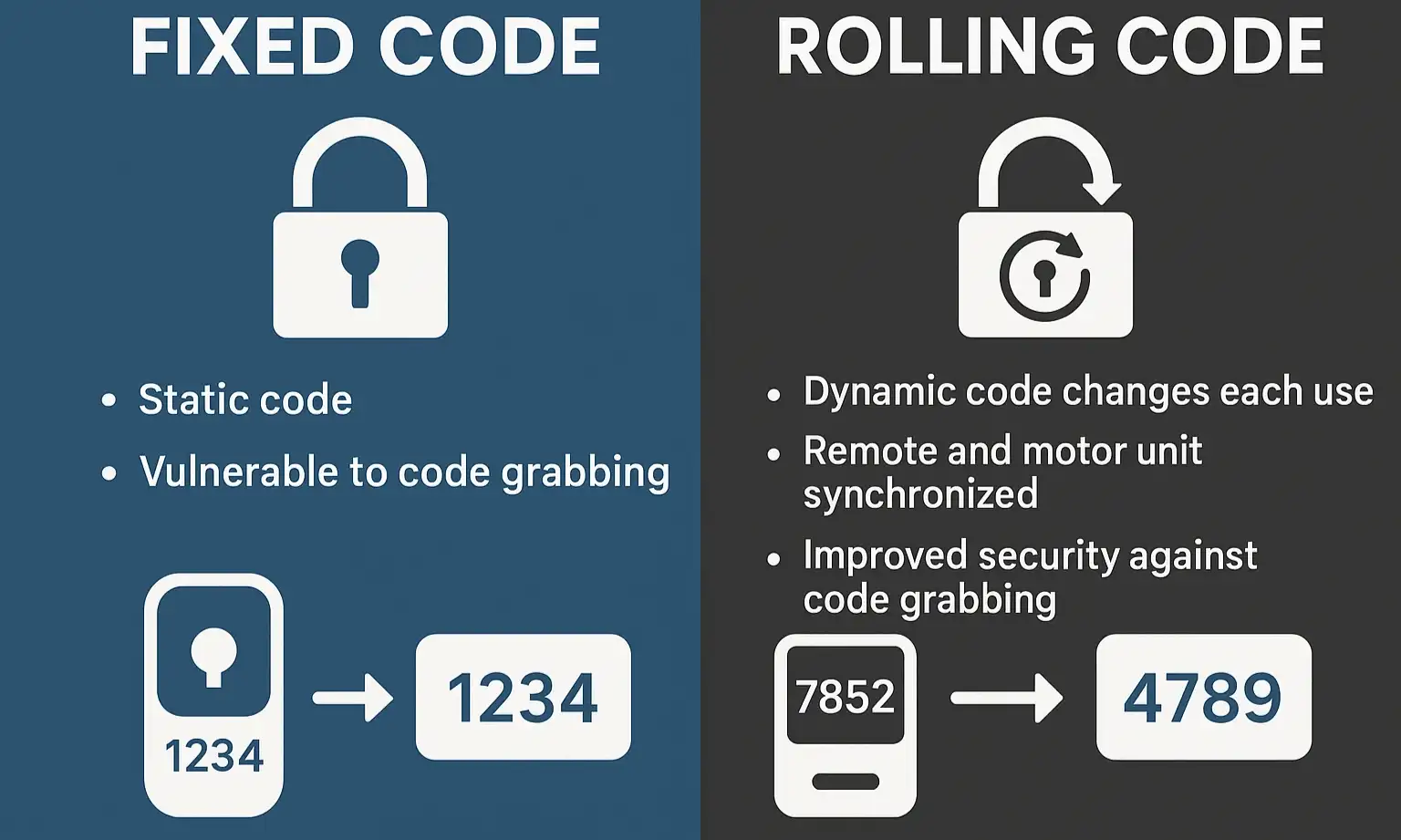
Think of a fixed code remote like a key to your house that never changes. Every time you press the button, it sends the exact same digital code—like shouting the same password "OpenSesame123"—to the opener.
Simple, but Unsecure: While convenient, this method had a major security flaw. Thieves could use a simple device called a "code grabber" to listen for your code, record it, and then replay it later to open your garage at will.
Diagram comparing fixed code vs rolling code signals, highlighting improved security with dynamic codes.

The New Way: Rolling Code Technology

Rolling code technology, introduced in the mid-1990s by manufacturers like Chamberlain and Genie, completely changed the game.
Imagine your remote is a bank's security token. Instead of one static password, it generates a brand new, never-before-used code every single time you press the button. Your garage door opener's motor is synchronized with the remote, so it knows what the next correct code in the sequence should be.
If a thief tries to grab this code, it's useless. By the time they try to use it, your remote and opener have already "rolled" to the next code in the sequence. This single change was a massive leap forward for garage door protection.
This is the "aha moment": Because the code is always changing, one remote can no longer "teach" another the secret password. The new remote must be introduced directly to the main brain—the opener motor unit—to get synchronized into the secure circle of trust.

Diagram comparing fixed code vs rolling code signals, highlighting improved security with dynamic codes.

Building: The Correct 3-Step Programming Method
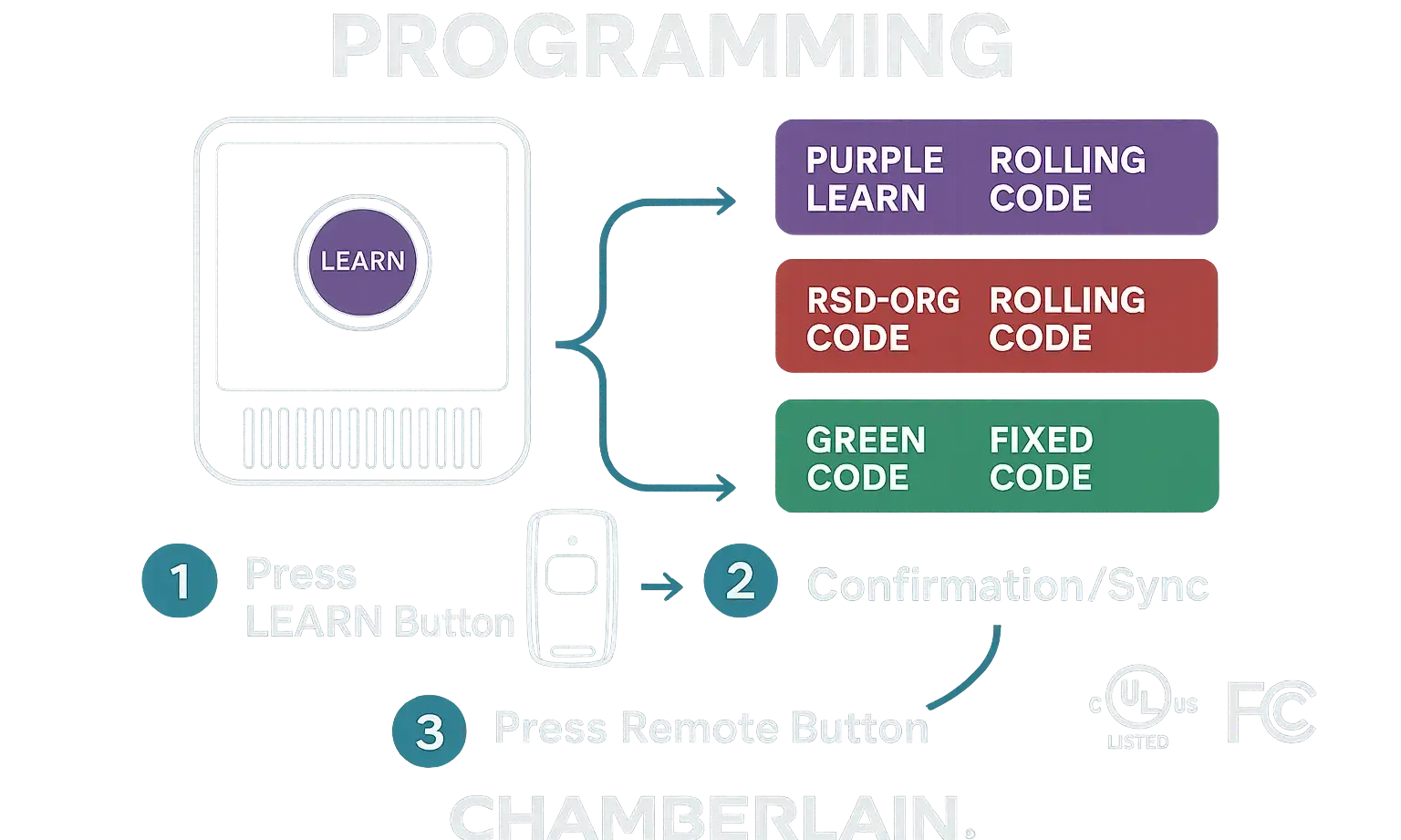

Now that you understand why the old method doesn't work, here’s the correct way to program a modern remote. The process is simple and involves pairing your new remote directly with the motor unit hanging from your garage ceiling.
The key to this process is the "Learn" button. This small, often colorful button is your gateway to programming new devices. Finding the exact learn button on your garage door opener is the first and most important step.
Guide showing the “Learn” button on opener and remote, with color labels (purple, red/orange, green, yellow) and meanings.
Here’s the simple 3-step process:

  1. Locate the "Learn" Button: On the back or side of the motor unit, you'll find a small button, sometimes next to a small LED light. You might need to remove a light cover to see it.
  2. Press and Release the Button: Push the "Learn" button once and let go. Don't hold it down! The LED indicator will light up and stay lit for about 30 seconds.
  3. Program the Remote: Within those 30 seconds, press and hold the button on your new remote that you wish to use. The motor unit's light will blink (or you may hear two clicks) to confirm it has successfully learned the new remote.
That's it! Your new remote is now securely paired with your opener.
Pro Tip: What Do the Colors Mean? The color of your "Learn" button can tell you about the technology your opener uses. Red, orange, or purple buttons typically correspond to Security+ rolling code technology, while yellow buttons often indicate Security+ 2.0, which may require slightly different steps for certain accessories.
Guide showing the “Learn” button on opener and remote, with color labels (purple, red/orange, green, yellow) and meanings.

Mastery: Troubleshooting Common Failures


Sometimes, even when you follow the steps perfectly, things don't go as planned. Here are some of the most common issues and how to solve them.

"Help! My Remote and Opener Are Out of Sync!"
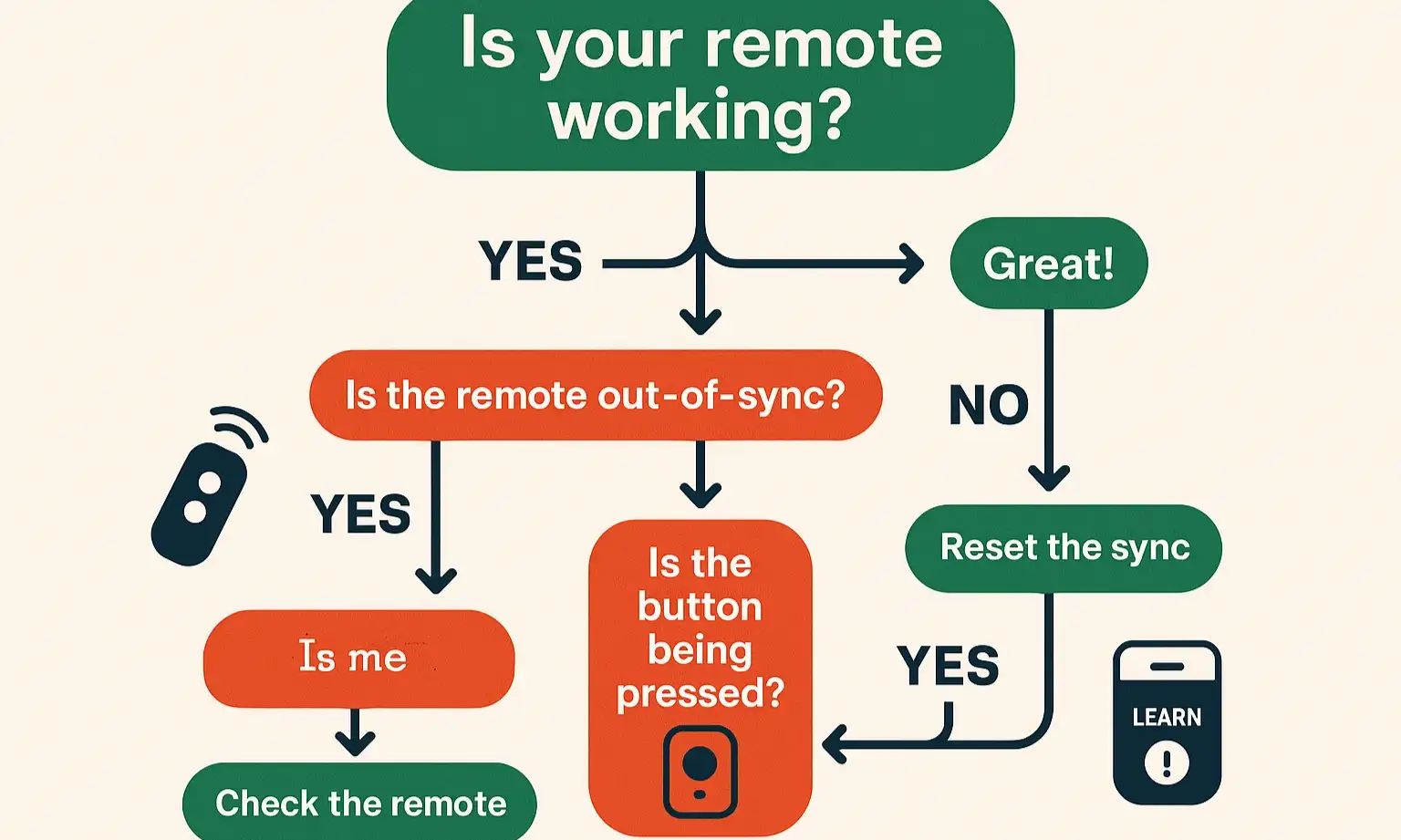
The Problem: You press the remote, but nothing happens. The remote seems to have "lost" its connection to the opener.
The Cause: This is called de-synchronization. It can happen if the remote button is pressed too many times (often over 250 times) while it's out of range of the garage. Think of a child playing with the remote or it getting mashed in a purse. The remote "jumps ahead" so far in its code sequence that the opener no longer recognizes it.
The Fix: The solution is usually simple. Just follow the 3-step programming process above to re-establish the secure sync between the remote and the opener. If that doesn't work, you may need to reset the garage door remote itself before reprogramming.
Flowchart for rolling code programming issues, guiding users through fixes for desync, memory limits, and other failures.
"My Opener Forgot My Old Remote (or Keypad)!"
The Problem: You successfully programmed a new remote, but now your old remote or wireless keypad no longer works.
The Cause: Your opener's logic board has a limited memory—it can only remember a certain number of devices (typically 5-8). When you add a new remote to a full memory, the opener "forgets" the oldest device to make room for the new one.
The Fix: You need to perform a full memory wipe and start fresh. Press and hold the "Learn" button for about 6-10 seconds until the LED light goes out. This erases all paired devices. Afterward, you will need to reprogram each remote and keypad you intend to use. For a detailed walkthrough, check our guide on how to reset a garage door opener.

Programming Challenges with In-Car Systems

In-car systems like HomeLink can sometimes be tricky. The process often involves both the "Learn" button on your opener and the programming buttons in your car. If you're struggling with this, our specific guide on how to program a garage door to a car without a remote can provide the detailed steps you need.

Flowchart for rolling code programming issues, guiding users through fixes for desync, memory limits, and other failures.

Need more information?

Your Rolling Code Questions Answered: The Ultimate FAQ


What is rolling code technology?

It's a security feature where your garage remote transmits a new, unique code to the opener every time you use it. This prevents criminals from capturing and re-using your code to open your garage.

How do I know if my opener uses rolling codes?

Most openers made after 1995 use rolling code technology. The easiest way to tell is to look for a "Learn" button on the motor unit. If it has one, it almost certainly uses rolling codes.

hy can't I just clone a rolling code remote?

Because the code is designed to change with every single use. Even if a cloner could copy the code from one transmission, that code would be invalid the very next time you use the original remote.

What's the difference between a fixed code and a rolling code?

A fixed code is like a static password that never changes, making it vulnerable to theft. A rolling code is like a dynamic password that changes every time, making it highly secure.

Is there a limit to how many remotes my opener can remember?

Yes. Most residential openers can remember between 5 and 8 remotes or keypads. If you program a new device when the memory is full, the opener will forget the first device that was programmed.

My remote stopped working after I changed the battery. What should I do?

Sometimes, changing the battery can cause the remote to lose its sync. The first step is to try reprogramming it to the opener motor using the "Learn" button method described above.

A Smarter System for a Safer Home


That feeling of frustration when you couldn't program your new remote is completely understandable. But now you know the reason behind it: rolling code technology is a feature, not a bug. It's an essential security system working silently to protect your home and family.
By understanding the "why" behind the process, you're now equipped to handle remote programming and troubleshooting with confidence. If you've tried these steps and are still facing issues, it might point to a problem with the remote or the opener's logic board. For complex issues like this, or for any Chamberlain garage door opener troubleshooting, our team of experts at Up & Down Garage Doors is available 24/7 to help you get things working smoothly again.

You may also like