





How to Program a Garage Door to a Car Without a Remote: Easy-to-Follow Guide
Published: Jul 11, 2025
You don’t always need a handheld remote to operate your garage door from your car. Many vehicles now come with built-in controls that let you sync directly to the opener. This guide will walk you through how to program a garage door to a car without a remote using clear, practical steps that anyone can follow — no tools or special devices required.
What You Need To Know Before Getting Started
Before you begin, make sure of the following:
- Your car includes built-in garage door buttons (check the owner’s manual if unsure)
- Your garage door opener has a “Learn” or “Program” button on the motor unit
- You can reach the opener safely (usually mounted on the ceiling inside the garage)
To start the pairing process:
- Locate the “Learn” button on your opener motor
- Press it once — this activates pairing mode for about 30 seconds
- You’ll then have a short window to complete the setup inside your vehicle
If your system isn’t responding or the opener seems outdated, it might be time for a repair or replacement. You can learn more about service options on our garage door opener page.
Step-by-Step: How To Program Car a Garage Door Opener Without a Remote
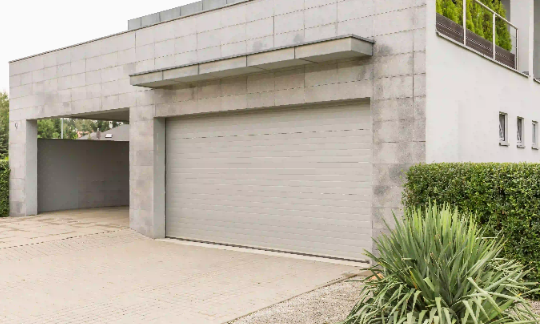
Now that your opener is in pairing mode, here’s how to program a car garage door opener without a remote:
- Turn On Your Vehicle. Keep it in park with the engine running or in accessory mode.
- Locate the Garage Control Button in Your Car. It is usually on the visor, overhead console, or rearview mirror.
- Press and Hold the Garage Button. Wait until the indicator light blinks slowly (can take up to 30 seconds).
- Press the “Learn” Button on Your Opener. Do this quickly while the opener is still in pairing mode.
- Return to Your Car and Press the Same Button Again. Hold it for 2 seconds, then release. Repeat up to 3 times until the door responds.
Some vehicles may require pressing two buttons at once — refer to your car’s manual. This method works best with systems that support programming garage door openers without a remote. If it doesn’t work, your opener may use older tech that needs a different setup.
Extra Options: How To Connect your Car to a Garage Door Without a Remote

If your car and garage door opener aren’t syncing, you’re not out of options. Some systems simply don’t support direct pairing — but there are still ways to connect the car to a garage door without a remote.
Try one of these alternatives:
- Smart garage control panels or wall-mounted keypads that let you operate the door without using a handheld remote
- Mobile app setups that use Wi-Fi or Bluetooth to control the opener from your phone
- Using a temporary remote to bridge the connection — pair it with your opener first, then use it to sync your car’s built-in controls
These workarounds offer similar convenience and are ideal for setups that don’t support direct programming.
If you’d like a step-by-step guide on using a spare remote during the process, check out our post on how to program a garage door remote to your car.
Wrapping Up
Programming your garage door to your car without a remote is completely doable if your system supports it. You’ll just need a little patience and a ladder to reach the opener. If it doesn’t work the first time, double-check your settings and try again with steady timing. Still, if you’d rather skip the trial and error, Up & Down Garage Doors handles everything from opener issues to full system syncing. Reach out whenever you need expert service.
You May Also Like
How to Program a Garage Door Remote: Quick and Easy Guide
Programming a garage door remote might seem tricky at first, but the truth is, it’s easier than most people think. Whether you just moved into a new home, replaced your garage door system, or bought an extra remote,…
Published Date: Jun 18, 2025
How to Close a Garage Door Without Power: Simple Manual Steps
Garage door won’t budge during a power outage? You’re not the only one. Whether it’s from a storm or a blown fuse, there’s a simple and safe way to close and lock it by hand — no tools required. Below are four quick…
Published Date: Jun 13, 2025
How to Upgrade Your Garage Door for Better Security and Convenience
Garage doors often work quietly in the background — part of your routine, but not always top of mind. The truth is, a few thoughtful updates can improve how your garage door moves, lasts, and helps secure your home…
Published Date: May 9, 2025