





Troubleshooting Dip Switch Garage Door Opener Range
Published: Apr 21, 2026
Does your garage door have a mind of its own? One day the remote works from the end of the street, and the next you have to be inches from the door, mashing the button in frustration. Or worse, the door opens and closes completely on its own, making you wonder if you have a ghost in the garage.
If this sounds familiar, you’re not alone. And no, it’s probably not a ghost. You’re likely dealing with the unique quirks of an older dip switch garage door opener.
These workhorse systems were the standard for decades, but their simple technology can be a bit sensitive in our modern, signal-filled world. The good news? Most issues are surprisingly easy to fix yourself. This guide will walk you through everything from the 2-minute fixes to the more advanced art of hunting down signal interference.
First, Let’s Identify Your Tech: Dip Switch vs. Modern Openers

Before we dive into troubleshooting, let’s confirm what system you have. The key difference between older and newer openers lies in how they talk to your remote. Older systems use dip switches to set a single, fixed access code. Modern systems use “rolling code” technology, which changes the code every single time you use it.
Pop open the battery compartment on your remote. Do you see a row of tiny, numbered switches you can flip up or down? If so, you have a dip switch opener. If you see a single “Learn” button on your garage door motor unit, you have a modern system.
For a deeper dive, check out our complete guide on what is a dip switch garage door opener and how it differs from today’s technology.
Understanding this difference is the “aha moment” for most homeowners. A fixed code is simple and reliable, but it’s also like shouting the same password across a crowded room—sometimes, other noises can drown it out.
The 5-Minute First-Aid: Quick Fixes to Try First

Always start with the simplest solutions. These two steps solve a surprising number of garage door woes and only take a few minutes.
Step 1: Check the Batteries (Really!)
We know it sounds obvious, but a weak battery is the number one cause of reduced remote range and intermittent failures. Before you do anything else, swap in a fresh, new battery. Even if the little red light on your remote still blinks, the battery might not have enough power to send a strong signal.
Step 2: Reset and Re-sync Your Dip Switches
Over time, vibrations or a simple bump can cause one of the tiny switches to get knocked out of position. Other times, you might need to change the code for security reasons. Re-syncing is a straightforward process.
- Locate the Switches on Your Remote: Open the remote case or battery compartment to find the row of 8-12 dip switches.
- Locate the Switches on the Motor Unit: Look on the main motor housing in your garage. You should find an identical panel of dip switches, often under a light cover or access panel.
- Match the Pattern: Set a new, random “on/off” pattern on the switches inside your remote. Then, simply match that exact same pattern on the motor unit.
- Test It Out: Press the remote button. Your door should now operate correctly.
Common Mistake Alert: The most common error is forgetting to match the switches on both the remote and the main unit. The pattern must be a perfect mirror image for the system to work. If you’re looking to how to change garage door code on your system, this is the exact process you’ll follow.
Progress Check: Did one of these steps solve your problem? If your door is working perfectly again, congratulations!
If not, don’t worry. It’s very likely that your issue isn’t with the opener itself, but with something else that’s blocking its signal. It’s time to go on an interference hunt.
Advanced Troubleshooting: The Interference Hunt

This is where dip switch openers show their age. Because they operate on a fixed frequency with a simple signal, they are highly susceptible to “radio frequency interference,” or RFI. Think of it as static on a radio station. If another electronic device in or near your home is “shouting” on a similar frequency, it can jam the signal from your remote.
The biggest culprit in recent years? LED light bulbs. The electronic drivers in some cheap LED bulbs can emit a wide field of RFI, effectively blinding your garage door opener.
Here’s how to systematically find the source of the problem:
1. Start with the Lights: Unscrew all the light bulbs from your garage door opener motor unit itself. Try the remote. If it works now, you’ve found your problem. Replace the bulbs with high-quality, RFI-shielded “garage door opener safe” LEDs.
2. Unplug Items in the Garage: If the lights weren’t the issue, begin unplugging other devices in your garage one by one, testing the remote after each one. Common culprits include:
- Battery chargers for power tools
- Smart home hubs or Wi-Fi extenders
- New refrigerators or freezers
- Pest deterrent devices
3. Expand to the Rest of the House: If you still haven’t found the source, expand your search to items in rooms adjacent to the garage. Cordless phone bases, baby monitors, and wireless security systems are all potential sources of interference.
The process is one of elimination. It takes patience, but you can usually isolate the offending device. Learning how to change the frequency on a garage door opener is not typically possible with these older units, making the removal of interference the only viable solution.
Solutions, Upgrades, and When to Get Help

After your interference hunt, you have a few paths forward.
Solutions for Poor Range
If your problem is less about interference and more about consistently weak signal, you might be able to improve it. A common DIY trick is to extend the opener’s antenna. The small wire hanging from the motor unit is the antenna. Splicing a longer piece of wire onto it can sometimes help it “hear” the remote’s signal more clearly. For more tips, explore our guide on how to extend garage door opener range.
The Case for an Upgrade
If you’ve tried everything and the opener is still unreliable, or if you’re concerned about the security of a fixed code, it may be time to consider an upgrade. Modern rolling-code systems are not only immune to the RFI issues that plague dip switch models, but they are also far more secure, eliminating the risk of a neighbor accidentally opening your door.
When to Call a Professional
You’ve been diligent, but the problem persists. It’s time to call in a professional if:
- You’ve gone through the entire troubleshooting process with no success.
- The motor makes a humming noise but doesn’t move the door (this could be a capacitor or motor issue).
- You suspect the problem is with the logic board or internal wiring.
A trained technician has specialized tools to measure RFI and can quickly diagnose whether the issue is environmental or a failing component inside the unit. For complex issues, seeking professional help, like trusted garage door repairs in Hartford, CT, can save you time and ensure the job is done safely.
FAQ: Your Dip Switch Questions Answered
When did they stop using dip switches in garage door openers?
Most manufacturers began phasing out dip switch technology in the early 1990s in favor of more secure rolling code systems. If your home was built before the mid-90s, there’s a good chance you have a dip switch model.
Can my neighbor’s remote really open my garage door?
Yes, it’s possible! If you and a nearby neighbor happen to have the same brand of opener and have, by pure chance, set the same dip switch code, their remote could operate your door. It’s rare, but it’s a key security vulnerability of fixed-code systems.
Why did my garage door remote suddenly stop working?
The most common reasons are dead batteries, a new source of RFI (like a new LED bulb or power tool charger), or the switches getting out of sync. Always run through the “5-Minute First-Aid” steps first. If you need a more general guide, here’s how to fix a garage door remote that’s stopped working.
Can I use a universal remote with my dip switch opener?
Yes, most universal remotes are designed to be compatible with dip switch systems. The programming process will involve setting the dip switches inside the new remote to match the pattern on your opener’s motor unit.
Is it difficult to reset the code on a keypad?
If you have an external keypad, the process is similar. You’ll typically need to sync it with the motor unit. The steps can vary, but you can learn the basics in our guide on how to reset garage door code for keypads.
By working through these steps, you can take control of your “possessed” garage door and understand the technology that powers it. Whether it’s a simple battery swap or the final decision to upgrade, you’re now equipped to make the right choice for your home.
You May Also Like
What Is a DIP Switch Garage Door Opener: Old Tech vs. New
Back in the day, garage door remotes worked differently than they do now. If you’ve ever opened up an old remote and seen tiny toggle switches inside, you’ve probably come across what’s known as a DIP switch garage…
Published Date: Sep 18, 2025
Why Your Garage Door Opener Trips the Circuit Breaker
You press the button on your garage door remote, expecting the familiar rumble of the door opening. Instead, you get… silence. The light on the opener is off. A quick check of the breaker box confirms your suspicion:…
Published Date: Apr 20, 2026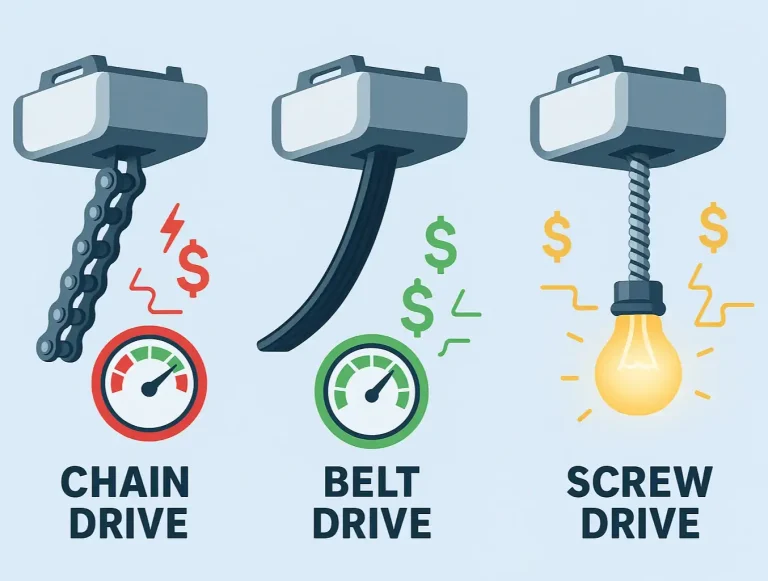
Garage Door Opener Power Usage: Belt vs. Chain vs. Screw Drive
It’s a sound most of us hear every day: the familiar hum and clank of the garage door opener, a simple convenience we take for granted. But have you ever paused to think about what that convenience costs on your…
Published Date: Apr 17, 2026