





Why Some Garage Door Remotes Have Better Range and Security
Published: Apr 28, 2026
Ever found yourself mashing the button on your garage remote, inching closer and closer to the door before it finally responds? You’re not alone. That frustrating moment when your remote seems to have a mind of its own isn’t just a random glitch—it’s often a story about the invisible world of radio frequencies (RF).
The answer to why your remote works perfectly one day and poorly the next lies in understanding the hidden conversation happening between your remote and your opener. This guide will pull back the curtain on that conversation. We’ll explore how frequency, interference, and security are all connected, transforming you from a frustrated button-pusher into an informed homeowner.
What Are Garage Door Frequencies Anyway?
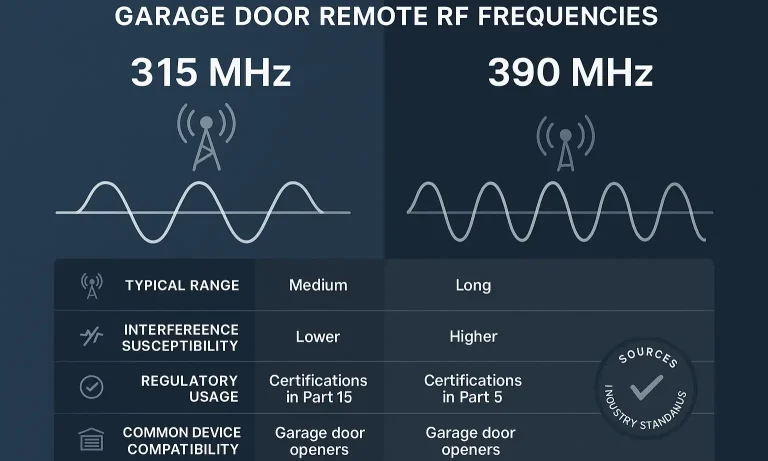
Think of your garage door system like a simple radio. Your remote is the broadcast tower, and the opener motor in your garage is the radio receiver, tuned to a very specific station. That “station” is its radio frequency, measured in megahertz (MHz).
When you press the button, your remote sends a command—”open up!”—on a designated frequency. If the receiver is listening clearly on that exact frequency, your door opens. The most common frequencies for garage door openers in North America are 315 MHz and 390 MHz.
- 315 MHz: A popular choice for many modern openers.
- 390 MHz: The standard frequency for most openers manufactured before 2005.
Manufacturers settled on these specific bands because they were reserved for short-range devices, minimizing the chance that your neighbor’s remote would open your door.
But here’s a common myth we need to bust: a higher MHz number doesn’t automatically mean better range or performance. The real enemy of your remote’s signal isn’t the frequency itself, but what’s crowding the airwaves around it.
The #1 Problem: When Your Signal Gets Lost in the Noise
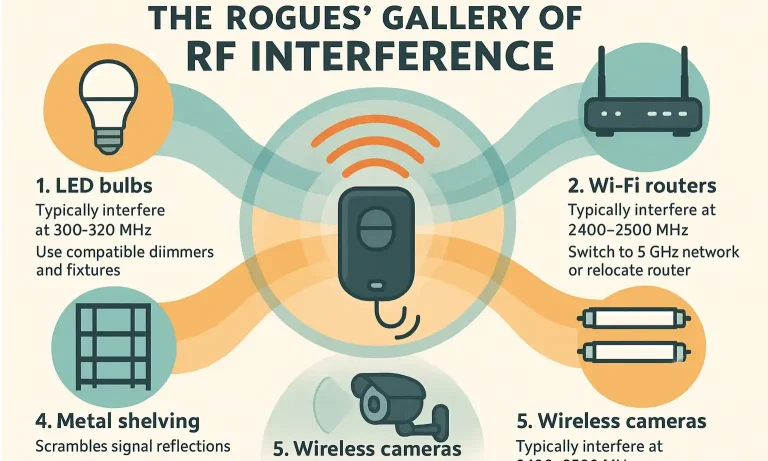
The single biggest reason for poor remote range is RF interference. Using our radio analogy, interference is like static from a powerful source broadcasting noise on a nearby station, drowning out your remote’s quiet signal. Your opener is trying to listen, but it can’t hear the command over all the racket.
This “racket” comes from a surprising number of everyday household items. Let’s meet the usual suspects.
The Rogues’ Gallery of RF Interference
Your garage might be home to more signal-blocking villains than you realize. Here are the top culprits that can drastically reduce your remote’s range:
- LED Light Bulbs: This is the most common and surprising source. Many modern, energy-efficient LED bulbs emit a strong RF signal that can completely jam your opener’s frequency. If your range plummeted after changing a bulb, this is likely why.
- Wi-Fi Routers & Extenders: Anything that transmits a wireless signal, including your home’s Wi-Fi system, can create RF noise.
- Battery Chargers & Power Tools: Chargers for cordless drills and other tools can generate significant interference, especially when they are actively charging.
- Smart Home Devices: Doorbells, security cameras, and other smart gadgets all communicate wirelessly and can contribute to the overall RF noise level.
- Large Appliances: Refrigerators, freezers, and other major appliances housed in or near the garage can also be sources of electronic interference.
If your opener’s performance has suddenly dropped, investigating these sources is a great first step. For more detailed solutions, exploring how to extend garage door opener range can provide specific tips, like repositioning the opener’s antenna.
The Security Breakthrough: From Simple Keys to Unhackable Codes
Frequency doesn’t just affect range; it’s also tied to the history of garage door security. Early remotes were simple, but that simplicity made them vulnerable.
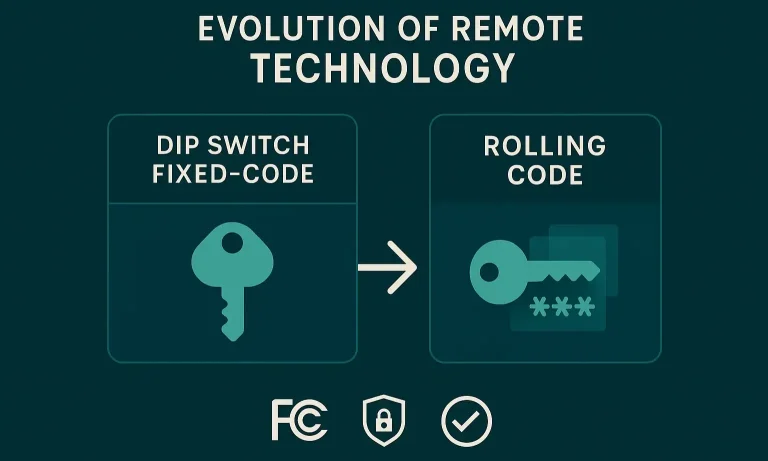
The Old Way: Fixed Codes & Dip Switches
Older garage door openers (typically from before 1993) used a technology called “dip switches.” Inside the remote and the opener, there was a row of 8 to 12 tiny physical switches. You would set them to a matching “on/off” pattern to create a fixed code.
This was like using a simple house key. The problem? Anyone with another remote could open it up, copy your dip switch settings, and gain access to your garage. It was a major security flaw. If you have an older system with these, understanding dip switch garage door troubleshooting is essential, but upgrading is highly recommended for better security.
The “Aha!” Moment: Rolling Code Technology
Around the mid-1990s, manufacturers introduced a game-changing innovation: rolling code technology.
Here’s how it works, with a simple analogy: Imagine your remote uses a password that changes every single time you use it.
When you press the button, the remote sends a new, unique code to the opener. The opener, which knows the algorithm for generating these codes, recognizes it and opens. After that one use, the code expires forever.
This means that even if a potential thief were to record the RF signal from your remote, that “password” would already be useless. It’s one of the most significant advancements in garage door protection and is now standard on all modern openers. If you’re wondering about your own system, you can learn how do I know if my garage door opener has a rolling code to check its security level.
Your Action Plan: Troubleshooting and Choosing a New Remote
Now that you understand the science, you can take practical steps to solve range issues and make smarter choices.
Quick Troubleshooting Checklist
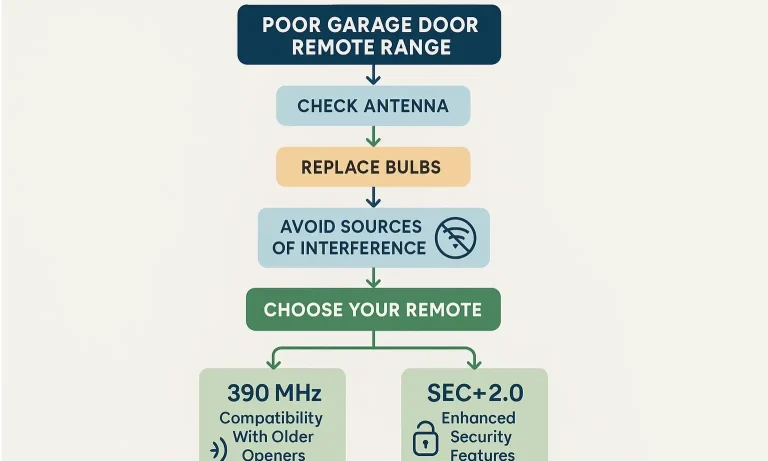
If you’re experiencing poor range, run through this checklist:
- Check the Batteries: Start with the simplest fix. Weak batteries mean a weak signal.
- The LED Bulb Test: Unscrew the LED bulbs in your garage door opener and test the remote. If the range improves dramatically, you’ve found your culprit. Replace them with “garage door opener compatible” or low-interference LEDs.
- Antenna Check: Ensure the opener’s antenna wire is hanging straight down and isn’t damaged or touching any metal.
- Unplug Suspects: Systematically unplug other devices in your garage (chargers, tools, radios) one by one to see if your remote’s range improves.
If you’ve tried these steps and are still having trouble, a simple guide on how to fix garage door remote issues might offer additional solutions. Sometimes, the issue requires a reset, so knowing how to reprogram garage door opener can be a lifesaver.
Choosing a New Remote
When buying a replacement or adding a new remote, here’s what matters:
- Compatibility is Key: You must match the new remote to your opener’s brand and frequency (315 MHz or 390 MHz). Check the back of your existing remote or the opener motor for this information.
- Ensure It Has Rolling Code: Never buy a new remote that uses fixed dip switches. Look for “Security+” or “Rolling Code” on the packaging.
- Consider a Universal Remote: If you can’t find an original manufacturer remote, a universal one can be a good option, but be sure to verify it works with your opener’s specific model and technology.
Once you have a new remote, the process of how to program a garage door remote from another remote or by using the learn button on the opener is usually straightforward.
Frequently Asked Questions (FAQ)
Why is my garage door remote range so bad all of a sudden?
A sudden decrease in range is almost always caused by new RF interference. The most common culprit is a new LED light bulb installed in or near the garage. Unplug or turn off new electronic devices one by one to isolate the source.
Are certain frequencies (like 315 MHz vs. 390 MHz) better than others?
No single frequency is inherently better. Performance depends entirely on the specific RF interference in your environment. An opener might work better on 315 MHz in one home but better on 390 MHz in another, depending on what other devices are operating nearby.
How does a rolling code actually work in simple terms?
It uses a synchronized algorithm. Both the remote and the opener know the “recipe” for creating the next code in the sequence. When you click, the remote sends the next code. The opener says, “Yes, that’s the code I was expecting,” and opens. Then, both move to the next code in the sequence for the next time.
Can my neighbor’s remote accidentally open my door?
If you have a modern opener with rolling code technology, the chances of this are virtually zero—less than one in a billion. If you have a very old opener with fixed dip switches, it is possible, though still unlikely, if they happen to have the exact same code.
Understanding the technology behind your garage door remote empowers you to solve common problems and keep your home secure. The next time your remote acts up, you’ll know it’s not magic—it’s just a matter of frequency, interference, and security.
You May Also Like
How to Extend the Garage Door Opener Range: Tips to Boost the Remote Signal
Remote controls are designed to make life easier, especially when it comes to opening your garage door from a distance. If your remote only works when you’re right in front of the door, it might be time for a few…
Published Date: Sep 2, 2025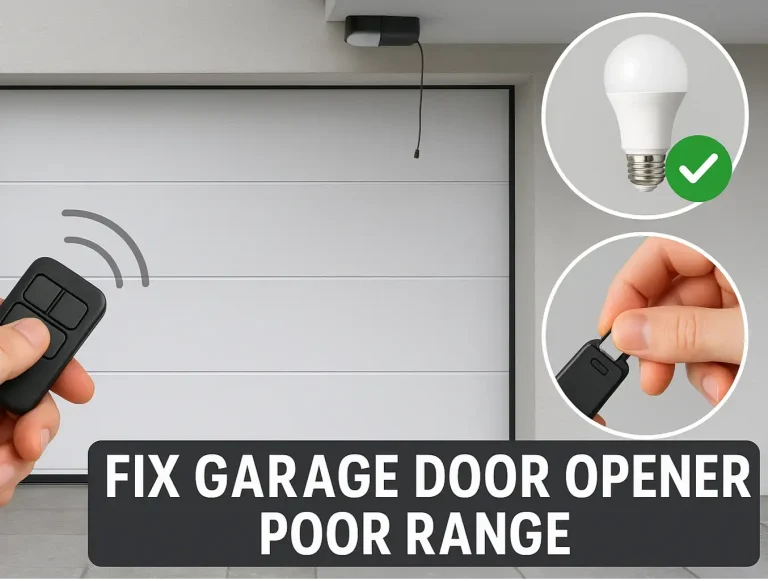
Troubleshooting Short Range on Brand New Garage Door Openers
There’s nothing more satisfying than hitting the remote and watching your brand-new garage door opener glide into action. And there’s nothing more frustrating than when it only works when you’re five feet away from…
Published Date: Apr 27, 2026
Why Your Garage Door Remote Range Decreases in Cold Weather
It’s one of the most frustrating moments of winter: you pull up to your home, shivering, and press the garage door remote. Nothing happens. You press it again, holding it closer to the windshield. Still nothing.…
Published Date: Apr 24, 2026