





Resetting Your Garage Door Opener After a Power Outage
Published: Jun 12, 2026
The power flickers and then comes back on. You breathe a sigh of relief as the clocks start blinking and the lights hum back to life. But when you press the button to leave for work, your garage door doesn’t budge. It’s a frustratingly common scenario, but the fix is often much simpler than you think.
You haven’t broken anything. Your garage door opener is likely just experiencing a little “amnesia” from the power interruption. In this guide, we’ll walk you through everything from the quick 2-minute fix that solves the problem for most people to a deeper understanding of why it happens and how to prevent it in the future.
Quick-Fix: The 2-Minute Reset for When You're in a Hurry
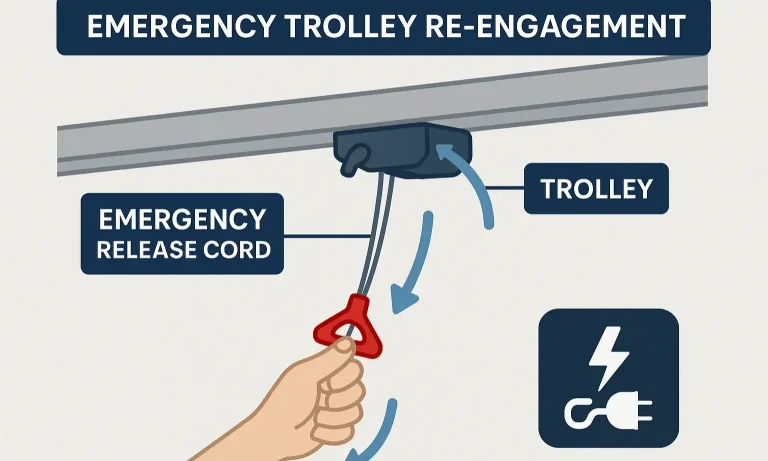
Let’s get you on your way. For most people, a power outage simply disconnects the opener’s trolley (the mechanism that moves along the track) from the door itself. Here’s how to quickly and safely re-engage it.
- Close the Garage Door: First and foremost, make sure your garage door is fully closed. Attempting to re-engage the opener with the door open can be dangerous and may cause the door to slam shut.
- Pull the Red Cord: Find the red emergency release cord hanging from the opener’s track. Pull it down and toward the back of the garage until you hear a distinct “click.” This click is the sound of the trolley re-engaging with the drive mechanism. For a detailed walkthrough, our guide on how to reset garage door opener after pulling red cord has you covered.
- Run a Full Cycle: Use your wall-mounted button or remote to run the garage door opener through one complete cycle (all the way up and all the way down). This confirms the connection is secure and helps the opener re-establish its travel limits.
For over 90% of cases, this is all you need to do. If your door is now working, congratulations! If not, don’t worry—the next section explains why this happens and what to do next.
Why Your Opener "Forgets" What to Do After an Outage
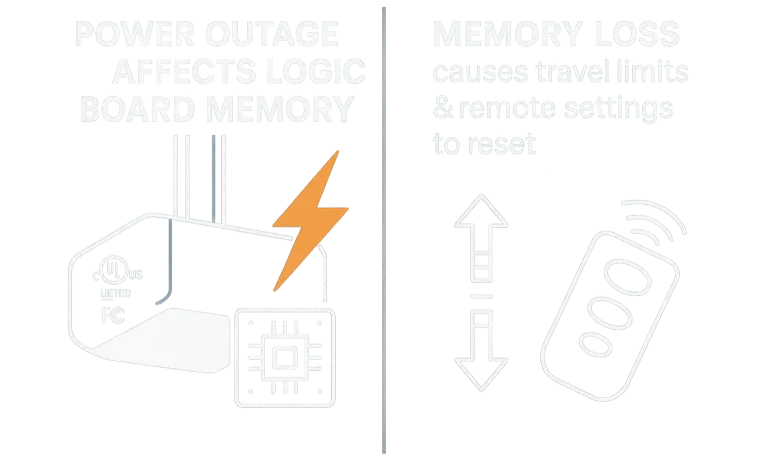
It’s helpful to think of your garage door opener as a small computer. It has a logic board that stores important information, like how far the door should travel up and down (its “travel limits”) and which remotes are synced to it.
When the power goes out, especially if it’s accompanied by a surge, this can scramble or wipe the memory on that logic board. This is the “amnesia” we mentioned. The opener essentially forgets its core job. This is also why a recurring garage door tripping breaker can cause similar memory issues.
So, a “reset” can mean two different things:
- Re-engaging the Trolley: This is the simple physical reset you likely performed in the quick-fix section. It reconnects the motor to the door. Our guide on how to reengage garage door after power outage dives deeper into this common fix.
- Reprogramming the Logic Board: This is a full electronic reset where you teach the opener its limits and re-sync your remotes. This is necessary when the opener’s memory has been wiped clean.
The Complete Guide to Reprogramming Your Opener
If the quick-fix didn’t work, your opener’s logic board likely needs to be reprogrammed. While the exact buttons may vary by brand, the process is generally the same. Always have your opener’s manual handy if possible.
How to Reprogram Travel Limits
This process teaches the opener where to stop when opening and closing.
- Locate the Adjustment Buttons: On the motor unit, look for a set of buttons, often labeled “Up,” “Down,” and “Learn” or “Program.” They might be under a light cover.
- Set the “Up” Position: Press and hold the “Up” button until the door reaches your desired open position. You may need to press and release to make small adjustments. Once it’s in the perfect spot, press and release the “Learn” button. The opener’s light may blink to confirm.
- Set the “Down” Position: Now, press and hold the “Down” button until the door is fully closed, creating a tight seal with the floor without straining. Again, use press-and-release for fine-tuning.
- Confirm the Setting: Press and release the “Learn” button again. The opener light should blink, confirming that both limits are now saved. For more detailed instructions, you can learn how to reset garage door travel limits in our dedicated guide.
How to Resync Your Remotes and Keypad
If the travel limits are working but your remotes aren’t, you just need to re-link them.
- Press the “Learn” Button: On the motor unit, press and release the “Learn” button one time. A small LED indicator should light up and stay lit for about 30 seconds.
- Press the Remote Button: Within those 30 seconds, press and hold the button on your remote that you want to use.
- Confirm Connection: Release the button when the main lights on the motor unit blink or you hear two clicks. This confirms the remote has been “learned.”
- Repeat for Other Devices: Repeat this process for any other remotes or wireless keypads. This is a key part of learning how to reset garage door opener systems completely.
Brand-Specific Reset Procedures: A Quick Reference
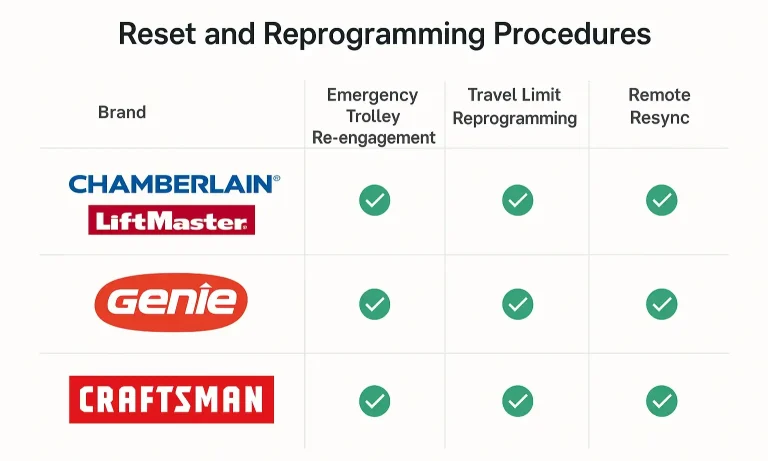
While the general steps above work for most models, major brands like Chamberlain, LiftMaster, and Genie have slight variations. The location and color of the “Learn” button are the most common differences.
- Chamberlain/LiftMaster: Typically use a square “Learn” button that can be purple, red/orange, green, or yellow. The color indicates the specific radio frequency and programming steps.
- Genie: Often use a single “Program” or “Learn Code” button. The process might involve holding the button down until an LED changes color or blinks.
- Craftsman/Overhead Door: Similar to Chamberlain and Genie, these brands will have a dedicated programming button, but its location can vary.
How to Prevent Future Power-Related Issues
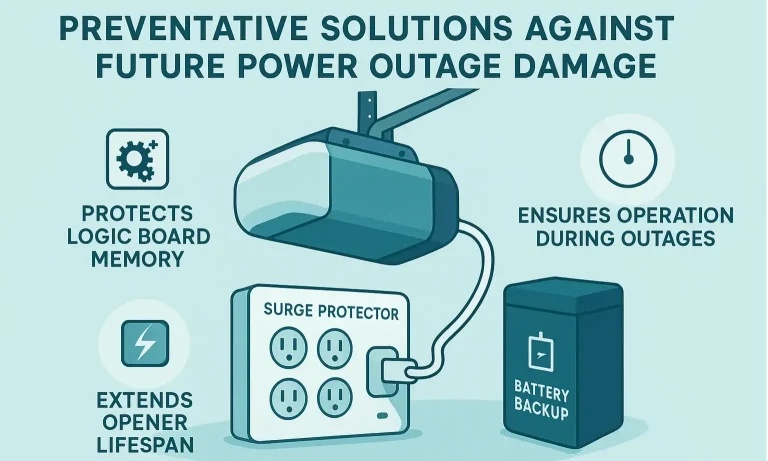
Resetting your opener is a great skill to have, but preventing the problem in the first place is even better. Here are two key investments that can save you a lot of future headaches.
- Surge Protector: This is the most important and affordable upgrade. A power surge can permanently fry your opener’s logic board, turning a simple reset into a costly replacement. A heavy-duty surge protector designed for appliances plugs right into the outlet your opener uses.
- Battery Backup System: Many modern openers come with or can be fitted with a battery backup. This small box provides enough power for your opener to function through short-term outages, so it never loses its memory and you’re never locked in or out. It’s a key feature of reliable garage door openers with battery backup.
When to Call a Professional
You’ve tried the quick-fix and the full reprogramming, but the door still won’t work. It might be time to call for help. Contact a certified technician if:
- The opener makes a humming or grinding noise but doesn’t move the door.
- You can’t get the travel limits or remotes to program correctly.
- The safety sensors at the bottom of the door are not lit or are blinking.
- You suspect the power surge may have caused permanent damage to the logic board.
Frequently Asked Questions (FAQ)
Can a power outage permanently damage my garage door opener?
Yes, it can. While most outages simply require a reset, a powerful surge during the event can fry the logic board, which is the “brain” of the opener. Using a surge protector is the best way to prevent this.
Why does my garage door remote not work after a power outage?
This is a classic symptom of the opener’s logic board losing its memory. It has “forgotten” which remotes are synced to it. Following the steps above to resync your remotes using the “Learn” button will resolve this.
How do I open my garage door manually when the power is out?
To open it manually, pull the red emergency release cord. This disengages the door from the opener’s trolley. You can then lift the door by hand. Important: Only do this when the door is fully closed.
Why won’t my garage door re-engage after pulling the red cord?
Make sure you hear a distinct “click” when you pull the cord. You may need to run the opener motor by itself until the trolley lines up with the connection point on the door arm, then run it again to lock it in place.
By understanding how your garage door opener works, you’re better equipped to handle minor issues like a post-outage reset. For any challenges that go beyond these steps, the team at Up & Down Garage Doors is always here to help.
You May Also Like
How to Reset a Garage Door Opener: A Complete Guide for Troubleshooting
If you’ve just moved into a new home or misplaced a garage remote, you might be wondering who still has access to your garage. That’s where knowing how to reset a garage door opener comes in. It’s a quick way to…
Published Date: Jul 9, 2025
Clearing Smart Garage Door Opener Wi-Fi & App Integrations Before Sale
Selling your home is a whirlwind of packing, paperwork, and planning. In the chaos, it's easy to overlook a critical digital detail: your smart garage door opener. You might remember to hand over the physical…
Published Date: Jun 11, 2026
Garage Door Opener Settings Won’t Erase or Reset Properly
You’ve followed the manual. You’ve held down the "learn" button for what feels like an eternity. You may have even unplugged the unit, hoping for a magical reboot. Yet, here you are. The remote still doesn't work,…
Published Date: Jun 9, 2026