





Demystifying Mobile Key Access: The Cryptography and Hardware Behind Smart Entry Systems
Published: Jul 31, 2026
If you are looking to secure your home or business, you have likely run into a confusing sea of search terms. There is a wide gap between basic smartphone troubleshooting (like Android’s “Extend Unlock”) and physical digital door credentials. While many people ask, “can i open my garage door with my smartphone“, the actual underlying technology governing high-security mobile key access operates on a sophisticated enterprise-grade level.
Transitioning to a keyless garage door lock or digital home entry system is not just about convenience. It represents a fundamental upgrade in hardware-level security. To evaluate these systems, you must look under the hood at the secure transactions occurring between your phone and your physical lock.
The Multi-Transport Protocol Layer: How Your Phone Talks to the Lock
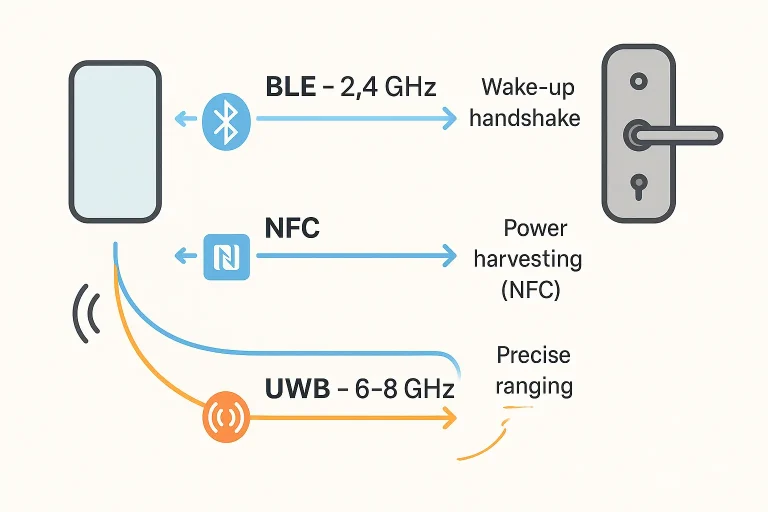
Modern mobile key access relies on a multi-layered wireless transport strategy. Rather than using standard garage door remote frequency bands, modern systems orchestrate three distinct protocols:
- Bluetooth Low Energy (BLE – 2.4 GHz): Acts as the wake-up and ranging layer. When you approach a lock, BLE senses your presence, wakes the lock’s CPU from its ultra-low-power sleep mode, and prepares the secure communication channel.
- Near Field Communication (NFC – 13.56 MHz): The protocol used for “tap-to-unlock.” Most importantly, NFC allows for power harvesting. Even if your phone battery drops to 0%, the passive NFC chip in your device can draw inductive current from the lock reader’s magnetic field to run the transaction securely.
- Ultra-Wideband (UWB – 6.5–8 GHz): This protocol measures the time it takes for radio signals to bounce between devices with centimeter-level precision. This prevents relay attacks (cloning or extending signals from inside a house) and enables true, hands-free walk-up entry.
Cryptographic Deep-Dive: The Anatomy of a Secure Handshake
Your phone does not broadcast a static identifier. Doing so would allow malicious actors to track your movements. Instead, your digital wallet uses asymmetric cryptography to verify identity anonymously within 0.2 seconds.
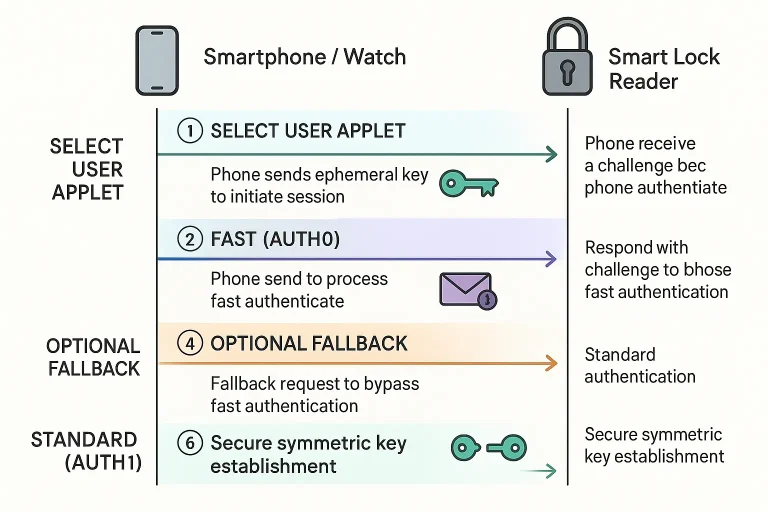
During a standard FAST (AUTH0) transaction, the device and the lock perform an ephemeral hand-shake utilizing uncompressed elliptic curve (secp256r1) key pairs and HKDF SHA256 cryptograms. If the lock requires complete credential validation, it falls back to a STANDARD (AUTH1) sequence using software-based Host Card Emulation (HCE). This heavier transaction (0.6 to 1.0 KB packages) takes roughly one second to complete.
Mobile Key Access Authentication Protocol Flow
1. Applet Selection (Smartphone/Watch → Smart Lock Reader)
The mobile device initiates communication by requesting to open the dedicated secure user applet using its Application Identifier (AID: A0000008580101).
2. Version Negotiation (Smart Lock Reader → Smartphone/Watch)
The smart lock reader responds with its supported protocol specifications (e.g., Version 1.0, Version 2.0, or the Aliro standard).
3. Fast Authentication Request: FAST AUTH0 (Smartphone/Watch → Smart Lock Reader)
The mobile device sends an optimized authentication request containing an Ephemeral Key, a cryptographic Nonce (random value to prevent replay attacks), and the target Reader ID.
4. Cryptogram Response (Smart Lock Reader → Smartphone/Watch)
The reader transmits an Authentication Cryptogram alongside the phone’s ephemeral key data back to the mobile device.
Lock Internal Processing:
At this stage, the smart lock decrypts the received cryptogram and runs an Iterative Match Loop to validate the credential against stored trust keys.
⚡ Optional Fallback Pathway (Standard Authentication)
If fast authentication is unverified, incomplete, or requires stronger session-bound validation, the protocol falls back to full asymmetric signature verification:
Standard Authentication Request: AUTH1 (Smartphone/Watch → Smart Lock Reader)
The smartphone issues a STANDARD AUTH1 command containing an ECDSA (Elliptic Curve Digital Signature Algorithm) Signature calculated over the active session parameters.
Secure Channel Established (Smart Lock Reader → Smartphone/Watch)
Upon successful verification of the signature, a fully encrypted, Secure Symmetric Key Context is established for encrypted interactions between both devices.
Hardware Security Architecture: Where the Keys Live
To understand why this is more secure than old-school RF remotes, look at where physical keys live inside your phone’s architecture:
- Secure Element (SE): A dedicated, tamper-resistant chip isolated from the primary operating system. On Apple devices, the _Copernicus_ applet runs here, requiring only 5.9 KB of space. With modern phones allocating 700 KB of SE memory to user keys, you can store up to 109 unique keys.
- Secure Enclave Processor (SEP): A separate coprocessor that processes biometric authentication data (FaceID or TouchID) to authorize transactions without exposing biometric templates to the operating system.
- Host Card Emulation (HCE): A software-based system that allows the phone to act as a virtual smart card.
By housing cryptographic credentials inside dedicated hardware, these systems bypass the vulnerabilities common in older radio transmitters, making them infinitely more secure than classic rolling code vs fixed code credentials.
Aliro 1.0: Unifying Apple, Google, and Samsung Wallet Keys
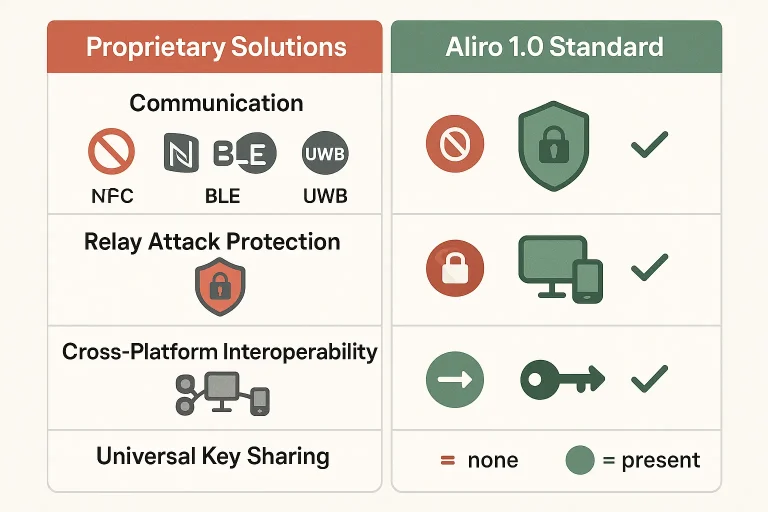
Historically, the smart home market has suffered from proprietary silos. If you bought a homekit garage door opener or smart lock, it might not play nicely with Android devices.
This friction ended on February 27, 2026, when the Connectivity Standards Alliance (CSA) officially released the Aliro 1.0 standard. Backed by over 220 global manufacturers, Aliro creates a standardized, cross-platform infrastructure utilizing NFC, BLE, and UWB. This allows homeowners to share temporary digital keys between iOS and Android platforms seamlessly, without sacrificing cryptographic safety.
Frequently Asked Questions
Can someone intercept or clone my digital key signal?
No. Unlike traditional radio systems, Aliro and Apple Home Key use asymmetric cryptography. Because the handshake relies on ephemeral public keys (secp256r1) and Time-of-Flight UWB ranging, a captured signal cannot be replayed or cloned to unlock the door later.
What happens if my phone’s battery dies completely?
Modern phones include a power-reserve feature. This mode utilizes NFC electromagnetic induction to harvest energy from the lock reader itself. This allows your phone’s Secure Element to run its card emulation and complete the cryptographic handshake even when the phone is powered down.
Is Aliro 1.0 backward compatible with older smart locks?
Aliro 1.0 requires specific hardware configurations, including updated NFC controllers and, in some cases, UWB radios. While some existing locks may receive firmware updates, older hardware likely needs to be upgraded to fully leverage Aliro’s secure, hands-free features.
Upgrade Your Access with Up & Down Garage Doors
Ready to transition your home or business to a highly secure, modern digital access ecosystem? At Up & Down Garage Doors, we bring over 15 years of family-owned industry experience to help you choose, install, and optimize secure entry systems. Our expert technicians are fully trained, licensed, and available 24/7 to design an integrated smart entry setup that works flawlessly for your property. Reach out to Up & Down Garage Doors today to explore your options.
You May Also Like
Why Some Garage Door Remotes Have Better Range and Security
Ever found yourself mashing the button on your garage remote, inching closer and closer to the door before it finally responds? You’re not alone. That frustrating moment when your remote seems to have a mind of its…
Published Date: Apr 28, 2026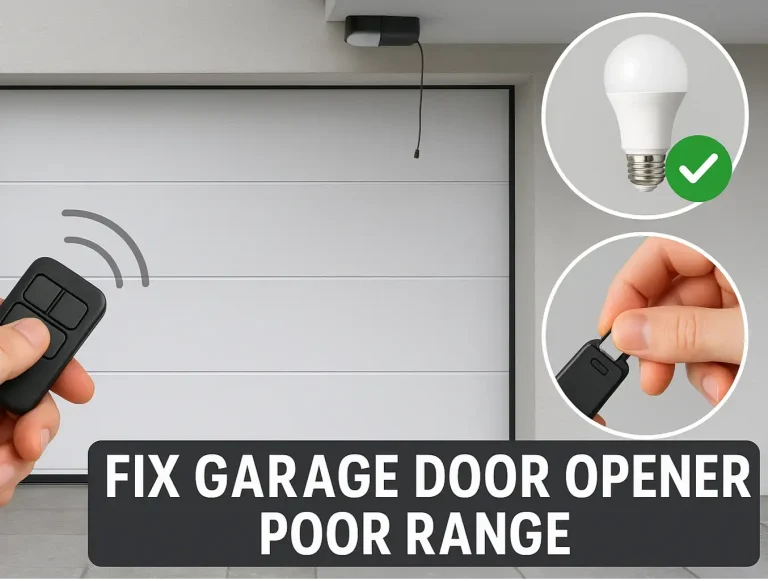
Troubleshooting Short Range on Brand New Garage Door Openers
There’s nothing more satisfying than hitting the remote and watching your brand-new garage door opener glide into action. And there’s nothing more frustrating than when it only works when you’re five feet away from…
Published Date: Apr 27, 2026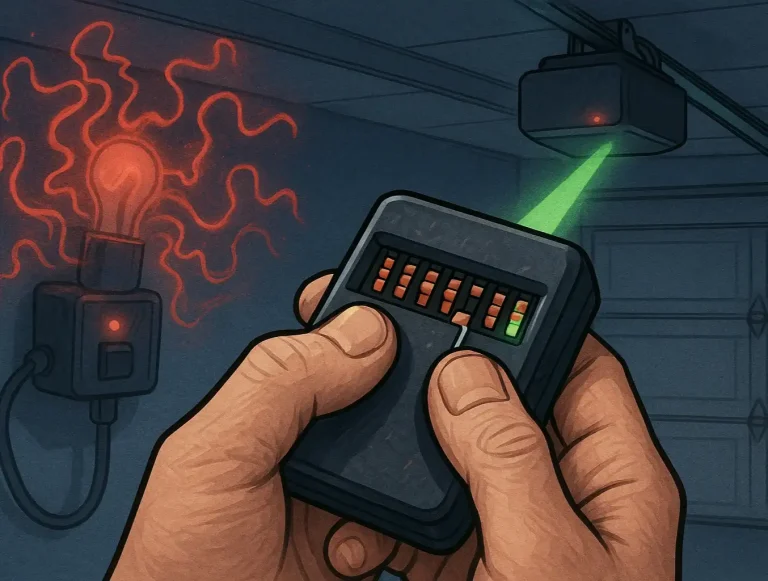
Troubleshooting Dip Switch Garage Door Opener Range
Does your garage door have a mind of its own? One day the remote works from the end of the street, and the next you have to be inches from the door, mashing the button in frustration. Or worse, the door opens and…
Published Date: Apr 21, 2026